
From the first email
to the last dish back
Full Table follows the way a small caterer already works. An inquiry becomes an event, the event carries a menu, and the menu carries the math. From that one event the app prints every document the job needs, with the same numbers on every page and nothing retyped. Here it is, screen by screen, on a made-up job for a made-up company.
The inquiry
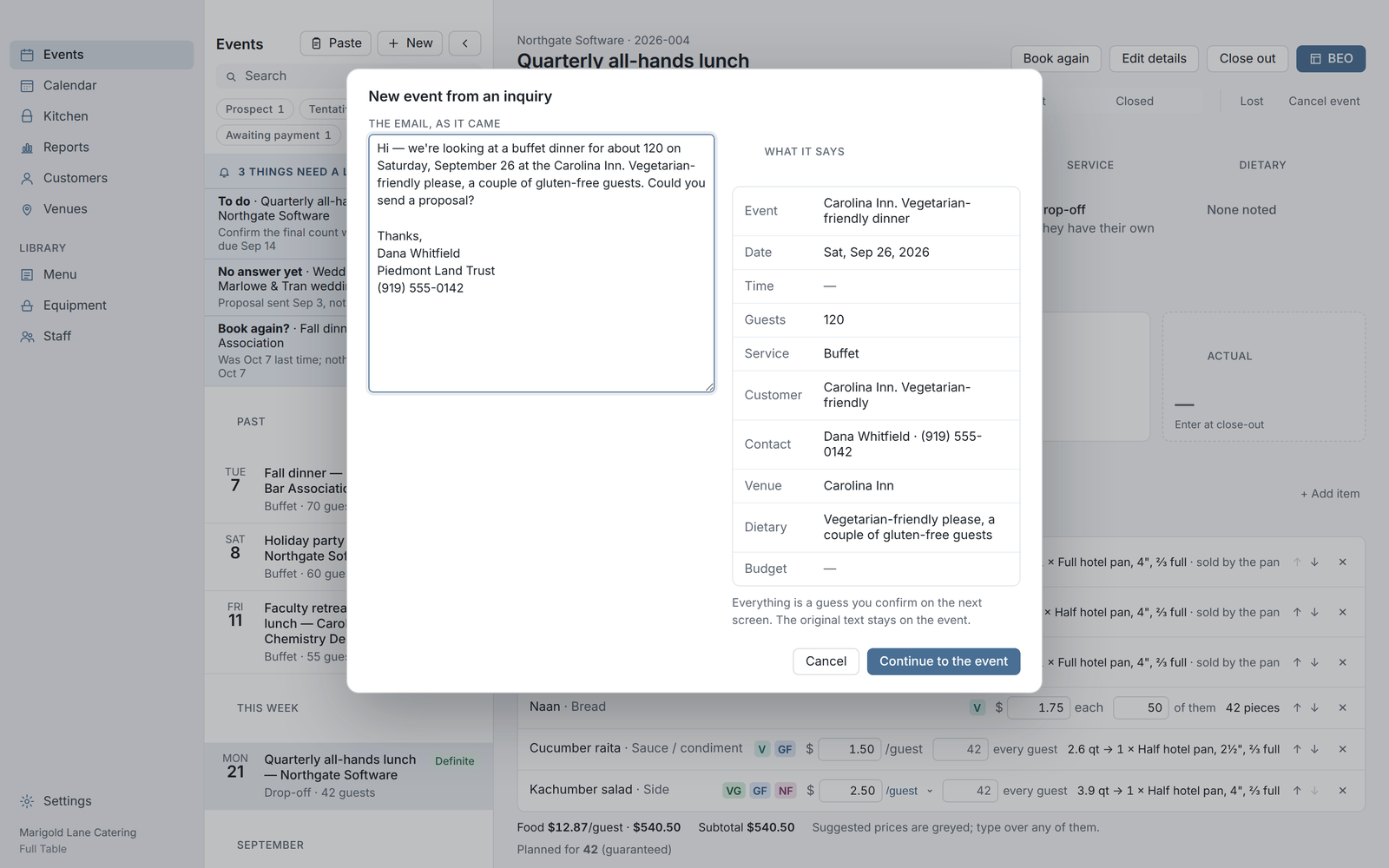
Paste the customer's email and the event fills itself in: name, date, count, style, the contact. The original message stays on the event so you can always see what they actually asked for. Two keystrokes and a prospect exists.
The calendar & the pipeline
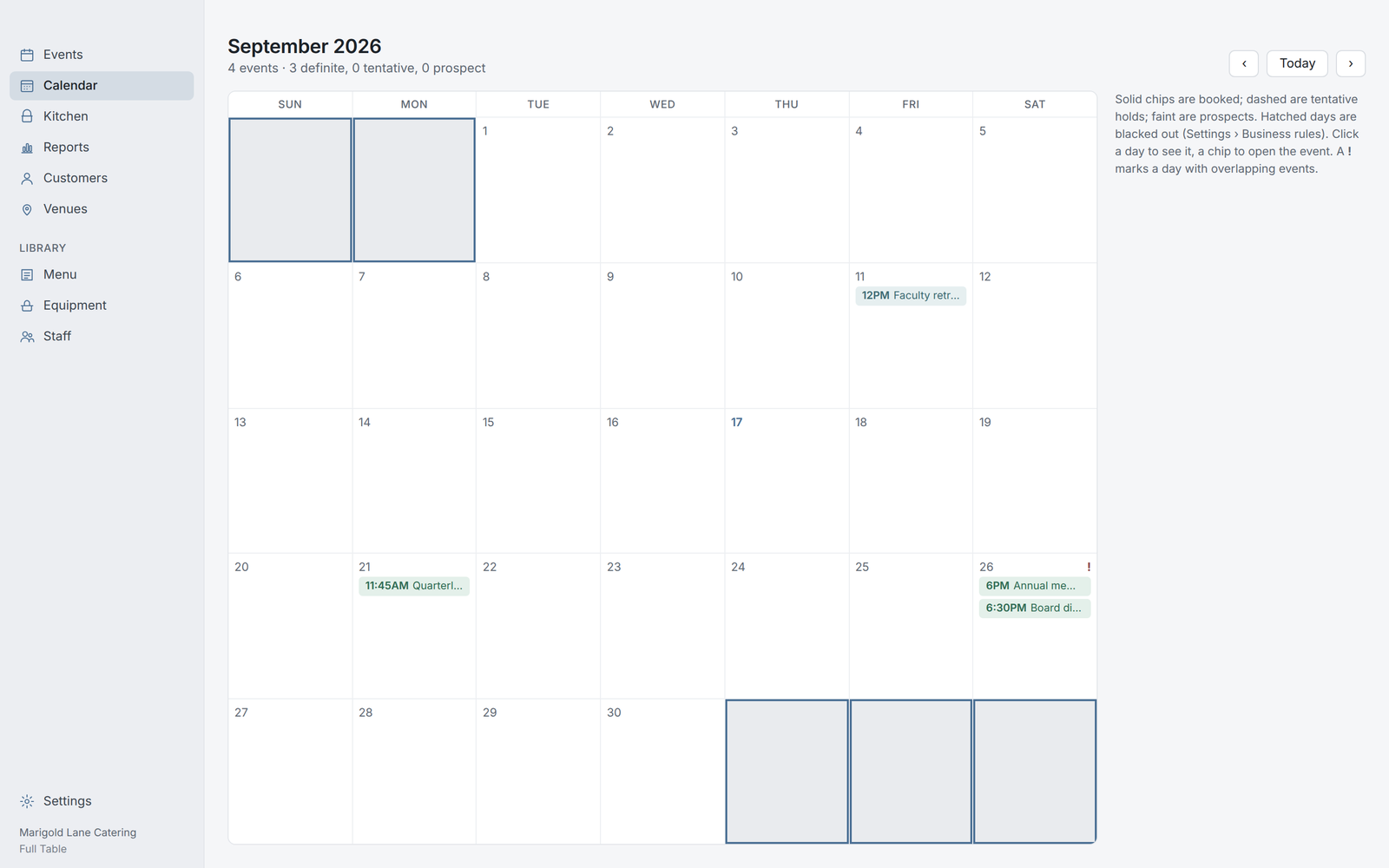
Every event moves through the same six stages, Prospect to Closed, and the stage tells the app what to nudge you about: a proposal that's had no answer in a week, a final count due Thursday, a balance still owed. The calendar shows holds and definites side by side, so a date is never double-booked by accident.
The menu library
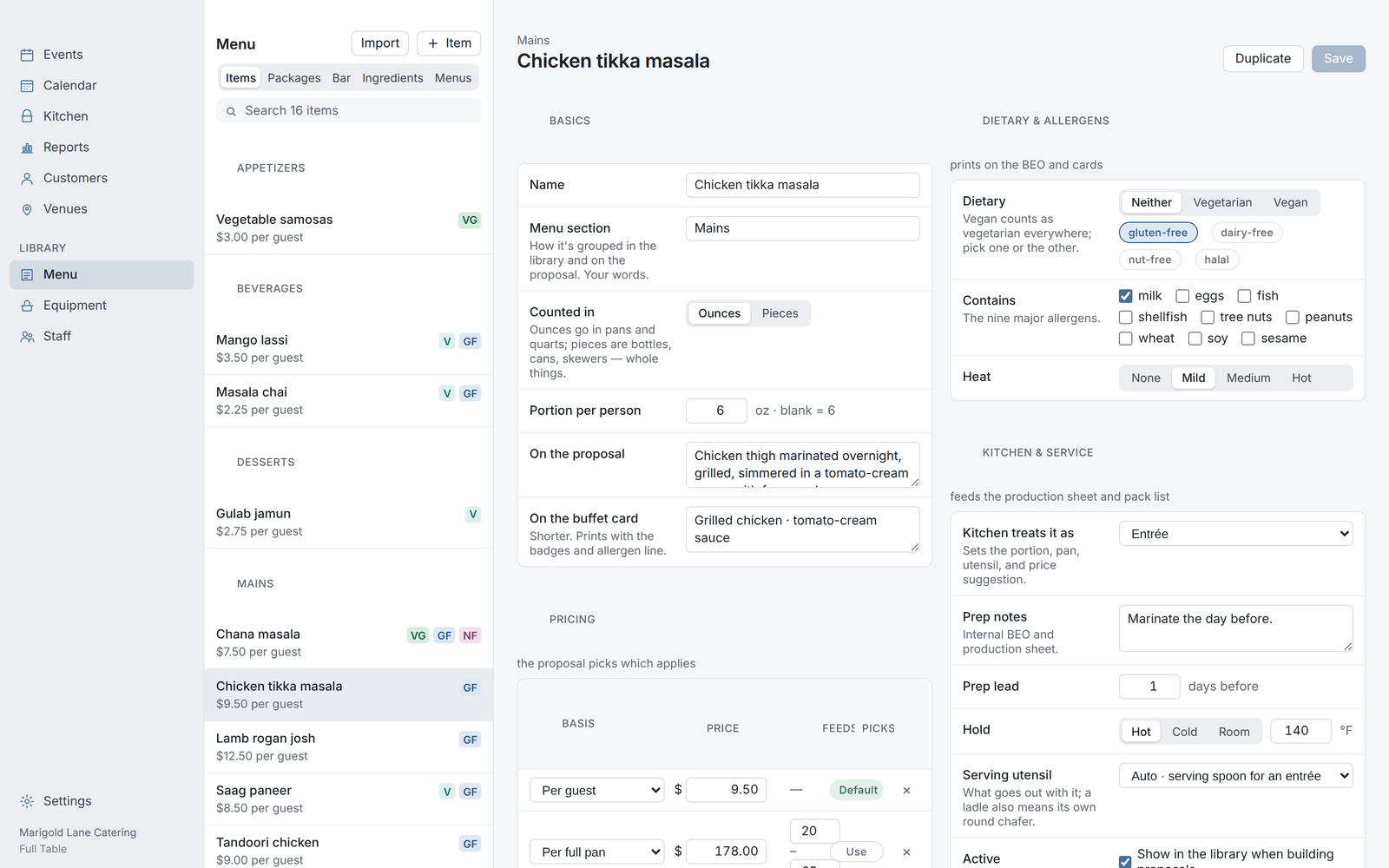
Every dish once, with its portion, what the kitchen treats it as, what comes with it, dietary tags, allergens, a photo, and the wording the customer sees. Change a portion here and every future event uses it; change it on one event and only that event does. Sell by the guest, by the half pan, or by the full pan.
The proposal
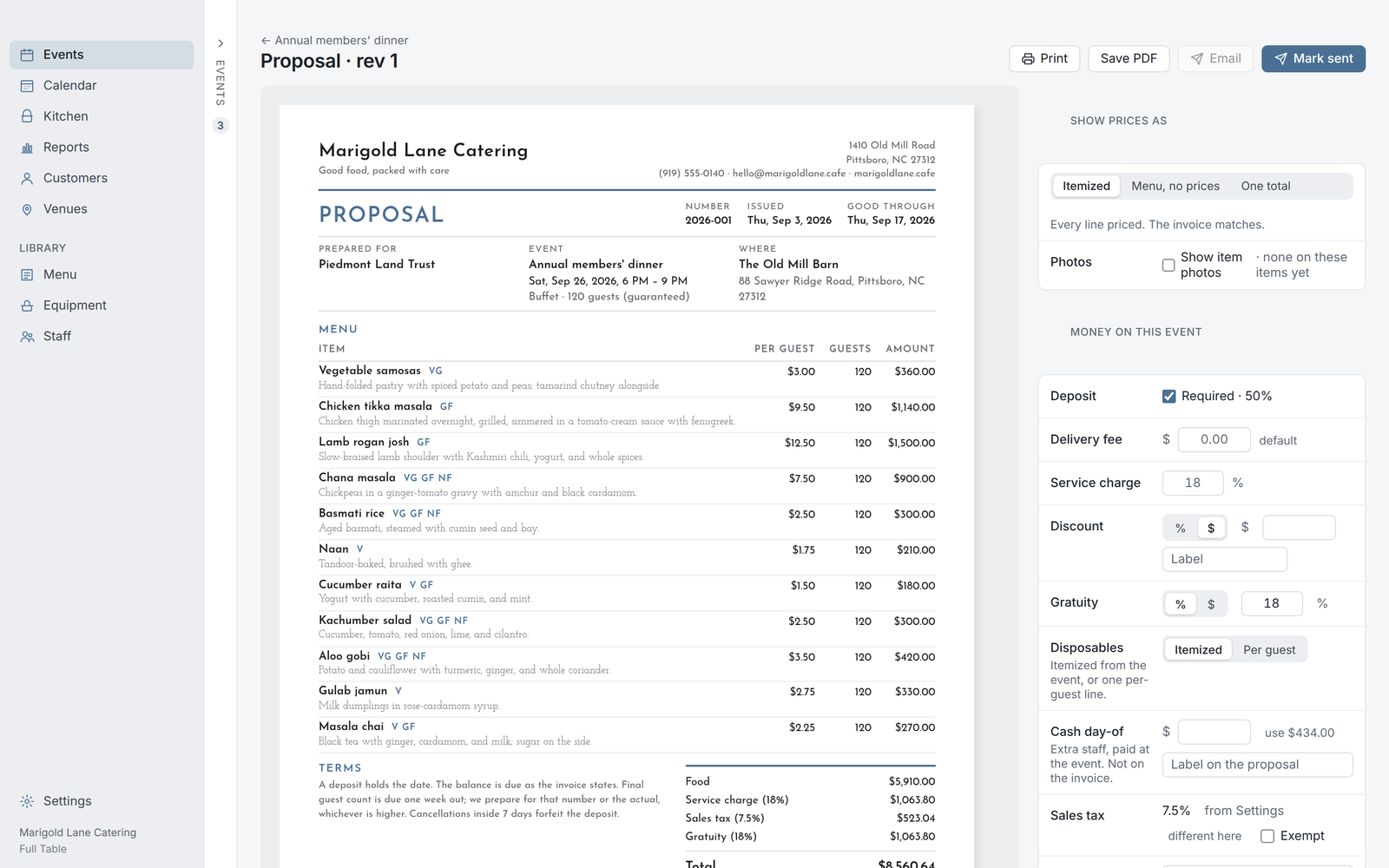
Pick the items, set the count, and the proposal is priced, tagged, and ready to send, with your deposit rule and your terms already on it. Give it a budget and the app trims the menu to fit. Change the headcount and every line reprices.
The contract
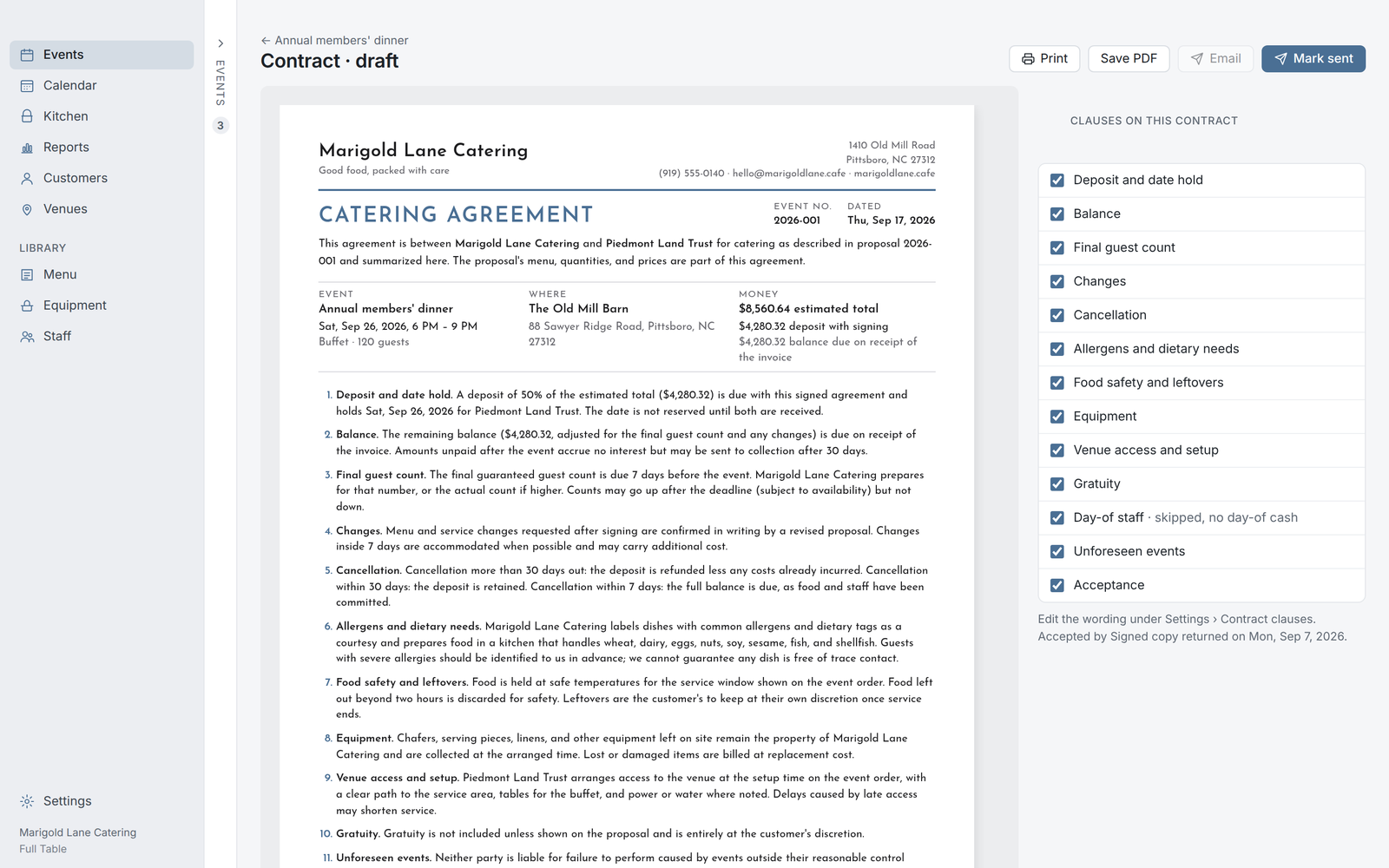
Built from the proposal, so the date, the count, the deposit, and the total can't drift apart. Your clauses live in Settings; pick which ones apply per event. Record the acceptance and the event moves to Definite on its own.
The event order
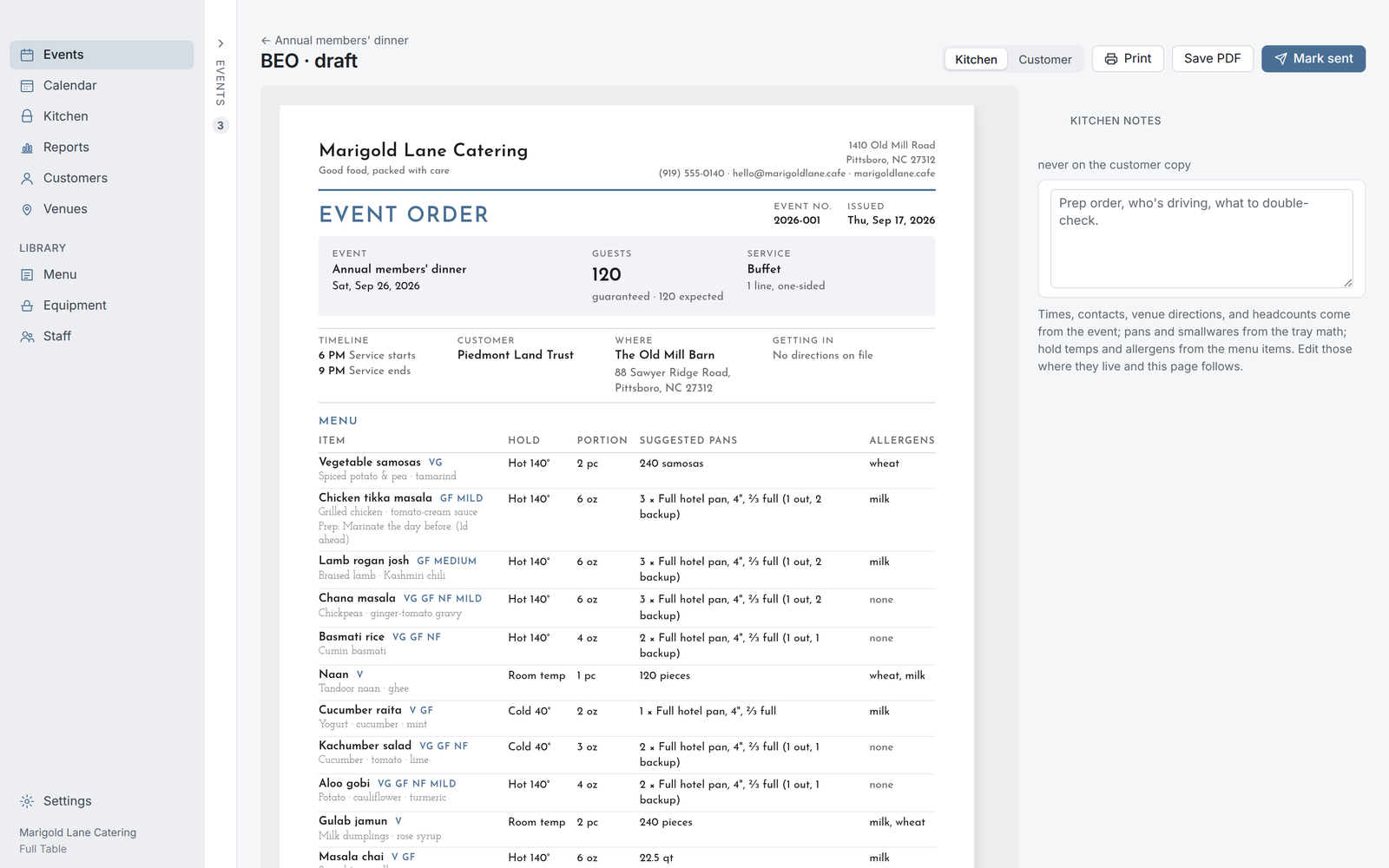
The BEO is one sheet the venue, the kitchen, and the customer all read: timeline, room, count, menu with hold temps and allergens, suggested pans, staffing. The kitchen copy carries prep notes; the customer copy leaves them off.
The production sheet
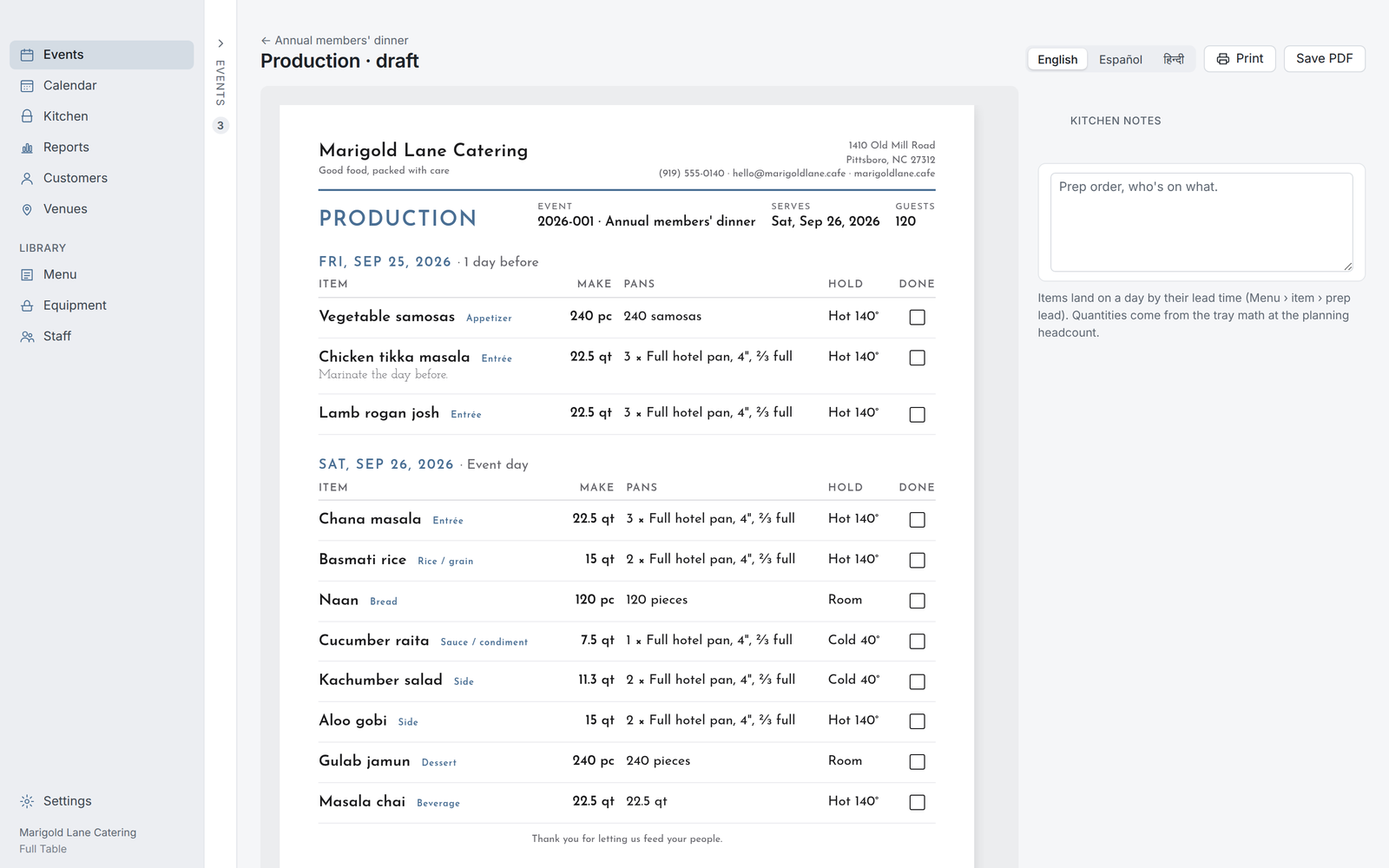
What to make, by day, in quarts and pieces, worked back from the count and each dish's portion. Anything with a prep lead lands on the day it needs to start, not the day of the event. Recipes scale to the batch.
The pack list
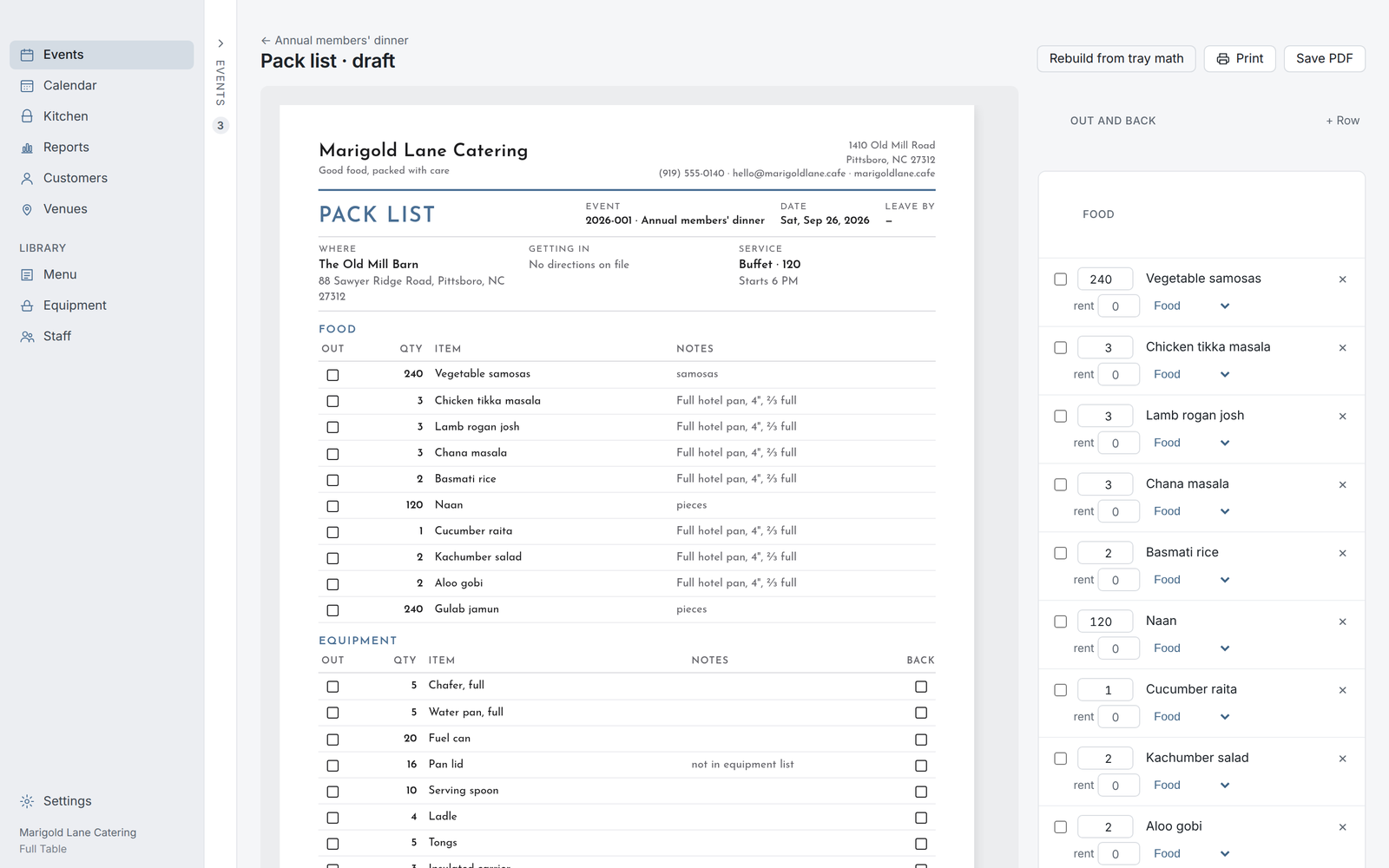
Every pan, chafer, utensil, and rental for the van, counted from the menu and checked against what you own. A box to tick going out, another coming back. When the count changes, rebuild it in one click.
Buffet cards & pan labels
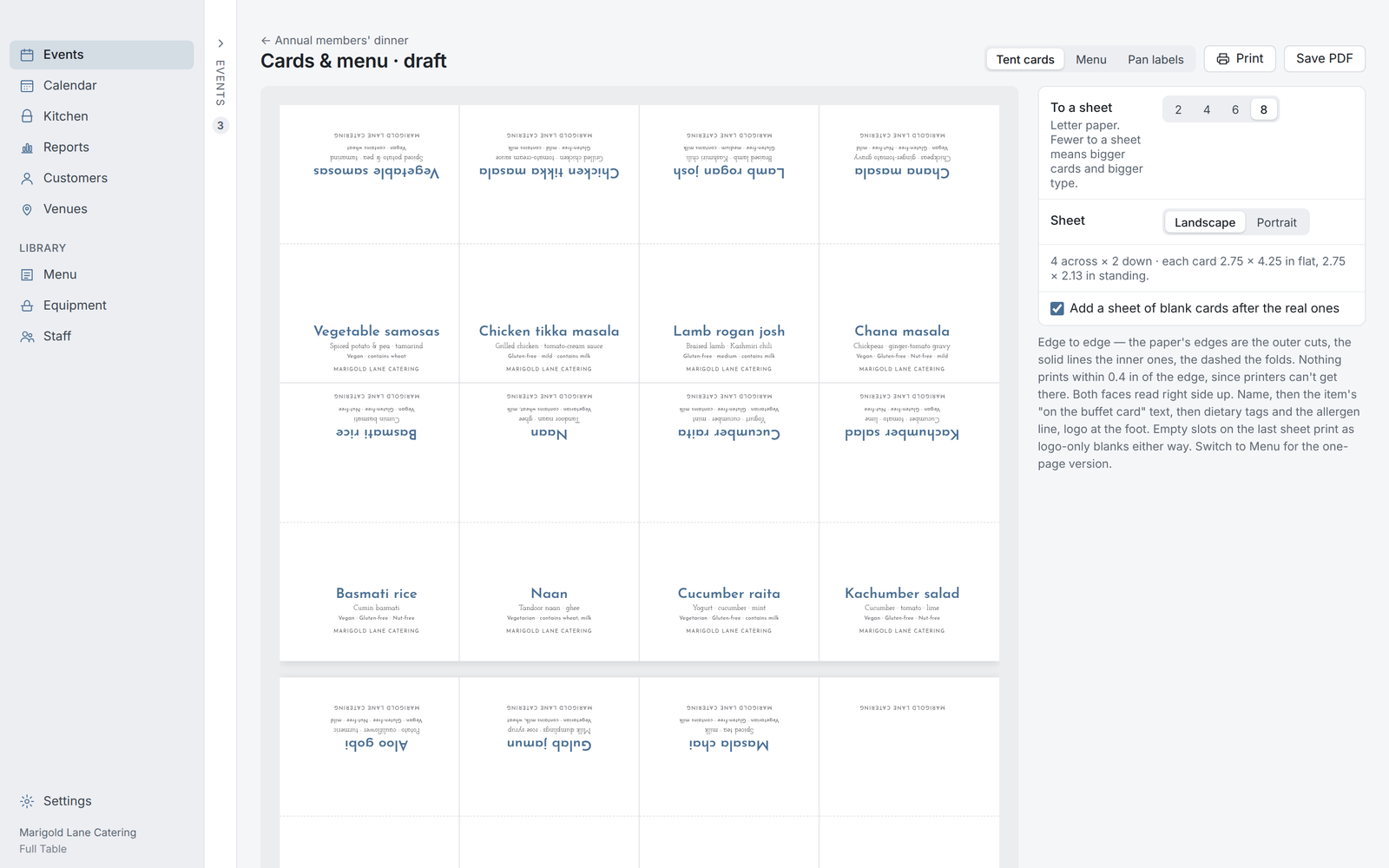
Tent cards two, four, six, or eight to a sheet, folded, with the dish, the wording, the dietary tags, and your logo. Pan labels print on the Avery stock you already buy, with hold temp, allergens, event, and date. Tick what goes on them once and it's set for every job.
The staff sheet
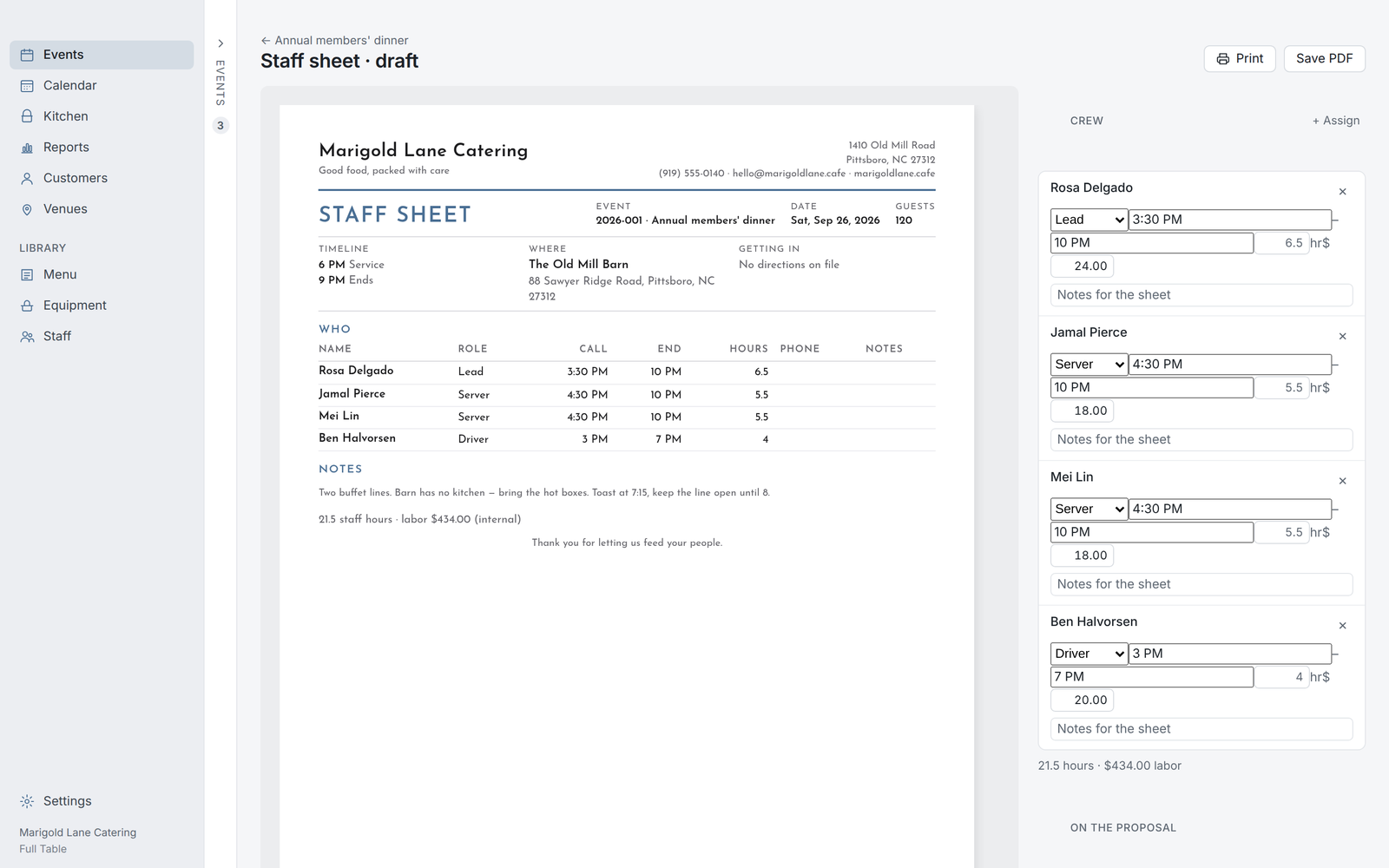
Who's working, when they arrive, what they're paid, and the load-in notes for the venue, on one sheet for the crew. Labor lands on the event's P&L without a second entry.
The temp log
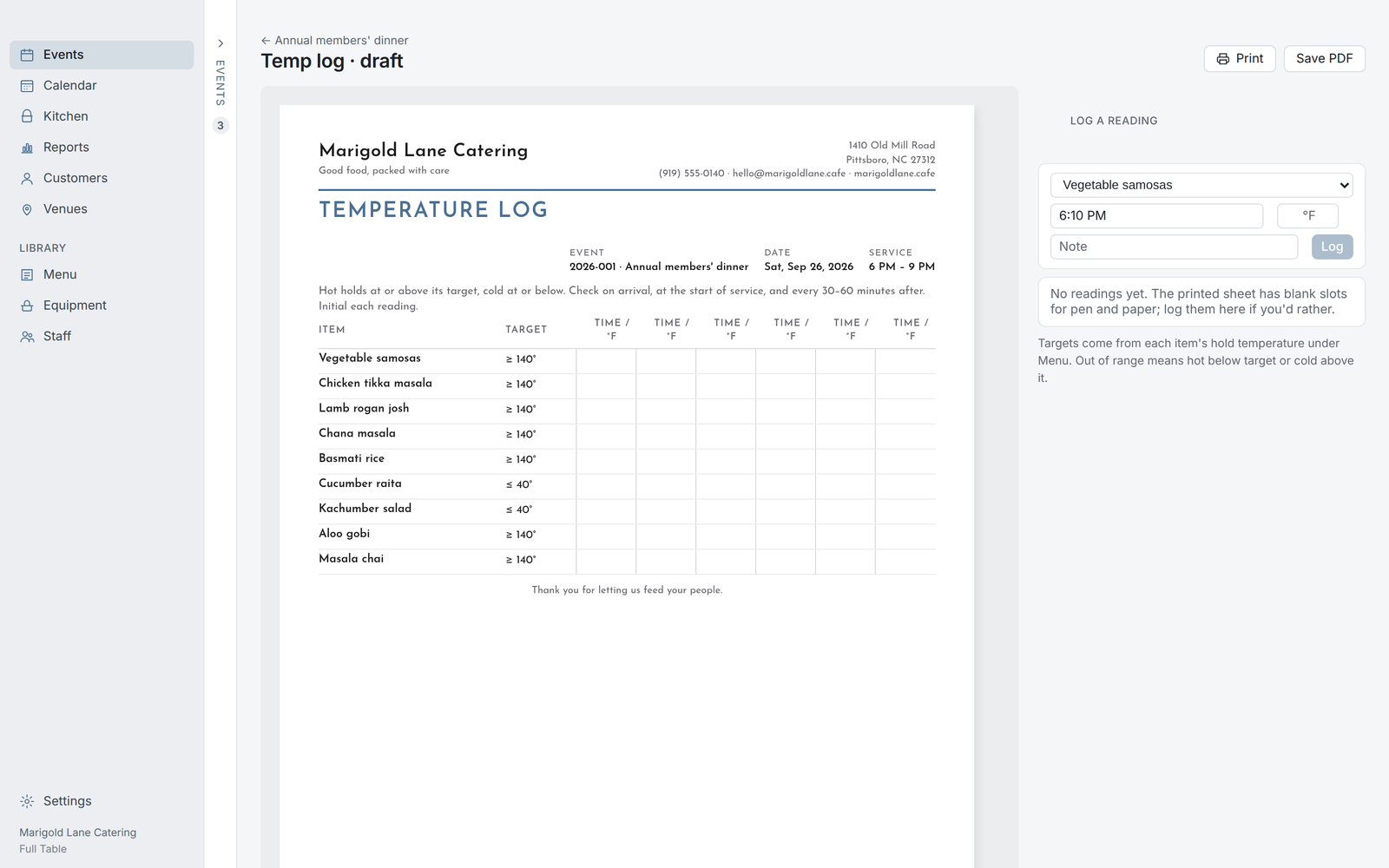
Every hot and cold item with its target and a grid for the readings at the venue. Readings taken in the app print below it, with anything out of range marked.
The invoice & the money
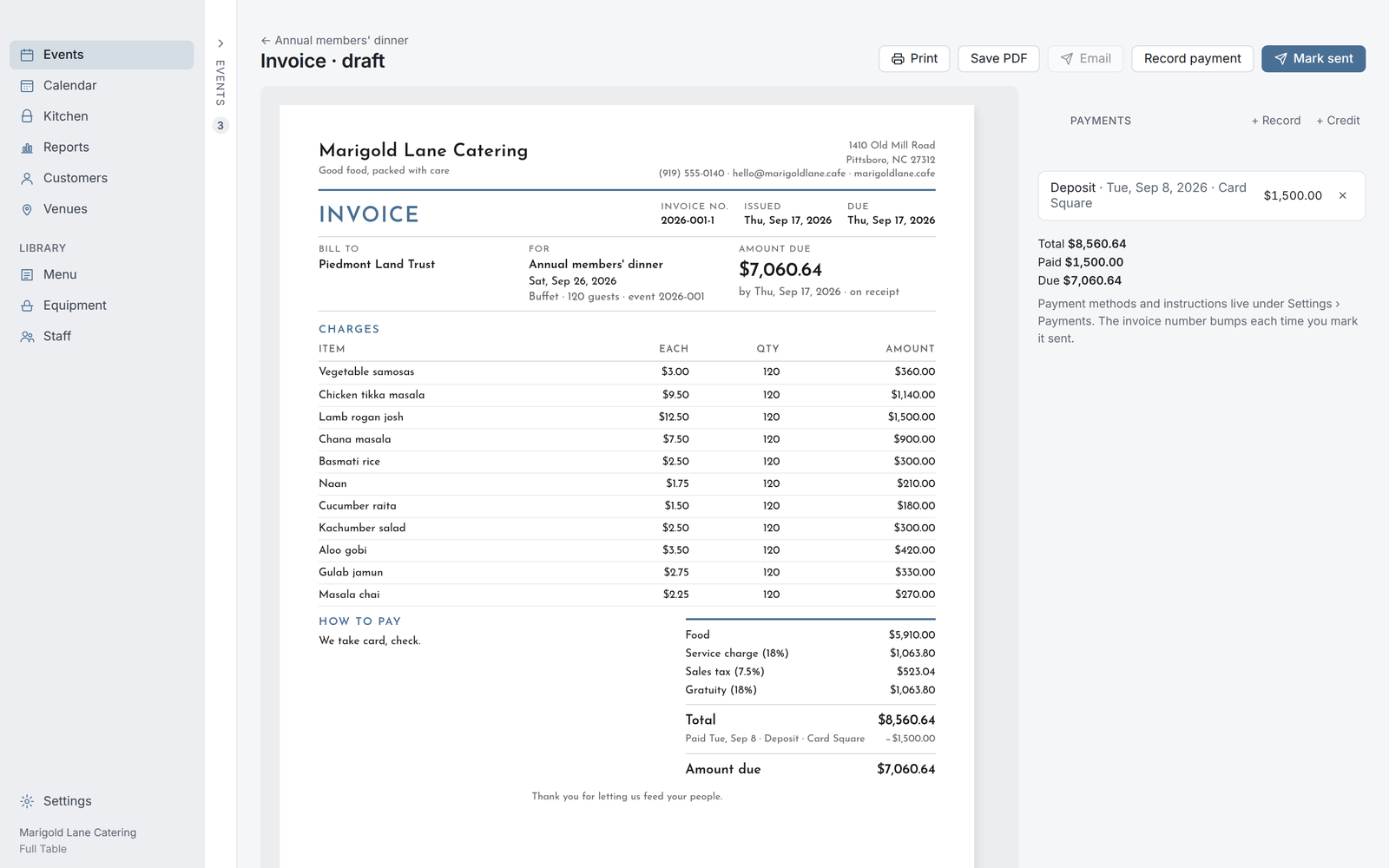
The proposal's numbers again, with the deposit applied, the balance due, and how to pay. Send a Square link and the payment records itself when the customer pays. Deposits, partials, credits, and refunds all sit on the event, and when the balance clears the event closes on its own.
Reports & the books
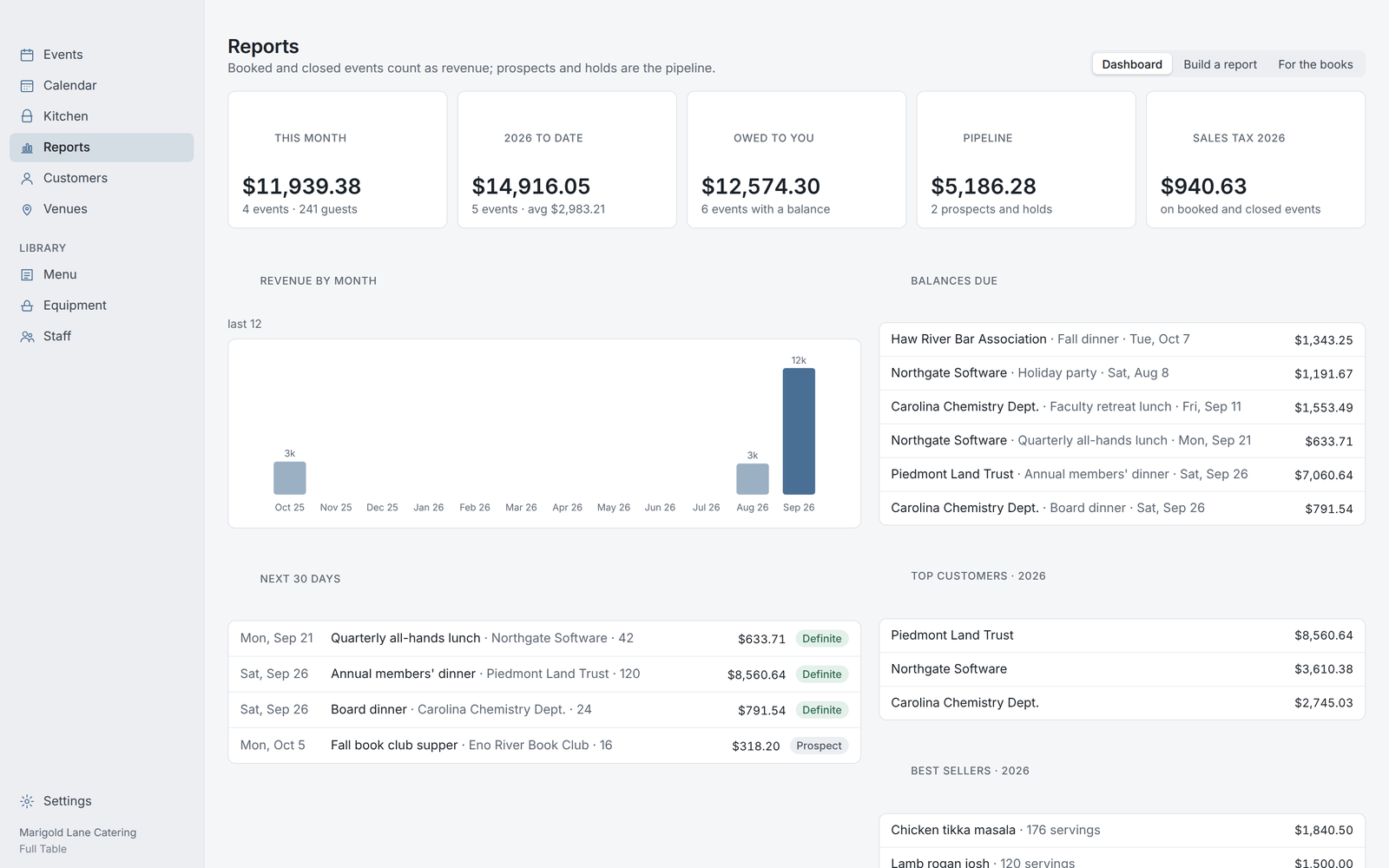
The month's events, what's booked, what's owed, and the P&L for any event with food cost from the recipes and labor from the staff sheet. Exports for QuickBooks: invoices, payments with processor fees, sales tax by month. A monthly statement for the customer who pays on a PO.
Settings: every policy is yours
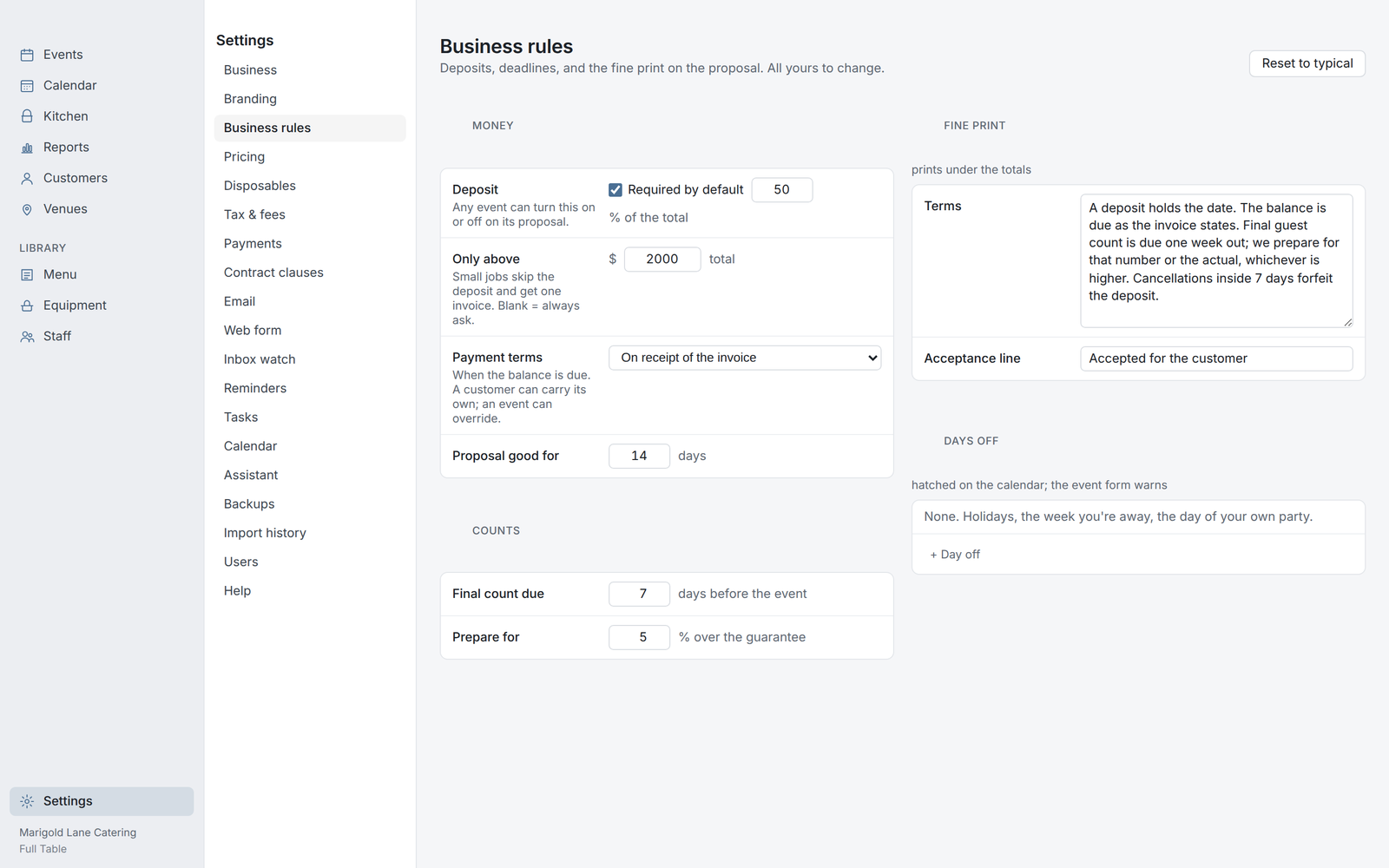
Deposit rule, payment terms, what's taxed, how gratuity and service charge work, delivery tiers, contract clauses, what the kitchen treats as an entrée, how many days before an event the reminders fire. Set each once and every document follows it. Your data is one file on your Mac, backed up daily, exportable any time.